Claims repo feature#
This feature installs the workflows necessary for manually hydrating and deleting GitHub and TFWorkspace claims, plus two additional workflows to import manually created GitHub resources into GitHub claims and a pr-verify workflow.
Hydrating claims#
Create a PR with the desired changes. Check the changes that have been commited are the changes you’ve actually done.
Once the
pr-verifyworkflow is finished, if there are no errors, merge your PR into the main branch.Head over to the
Actionstab of theclaimsrepo and select the<Your claim type> claim: hydrateworkflow on the left side list.
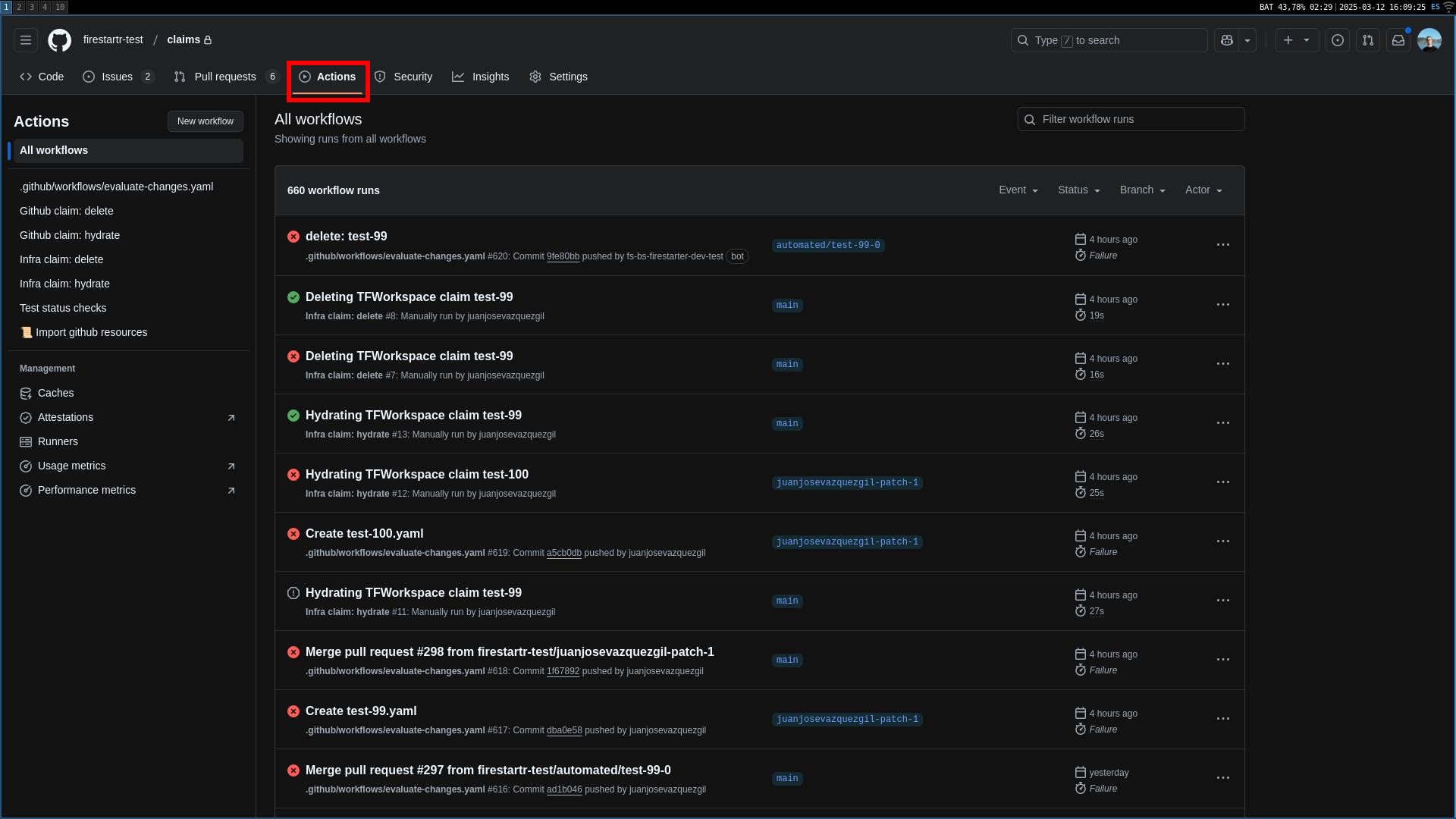 The Actions tabs
- Select
Run workflowon the right hand side of the screen, introduce the name of the claim to be hydrated and select the claim type (if it is a GitHub claim). NOTE: the name of the claim should be the value of the fieldnameinside the claim YAML. Setting this value to the file name may result in the workflow not working as expected.
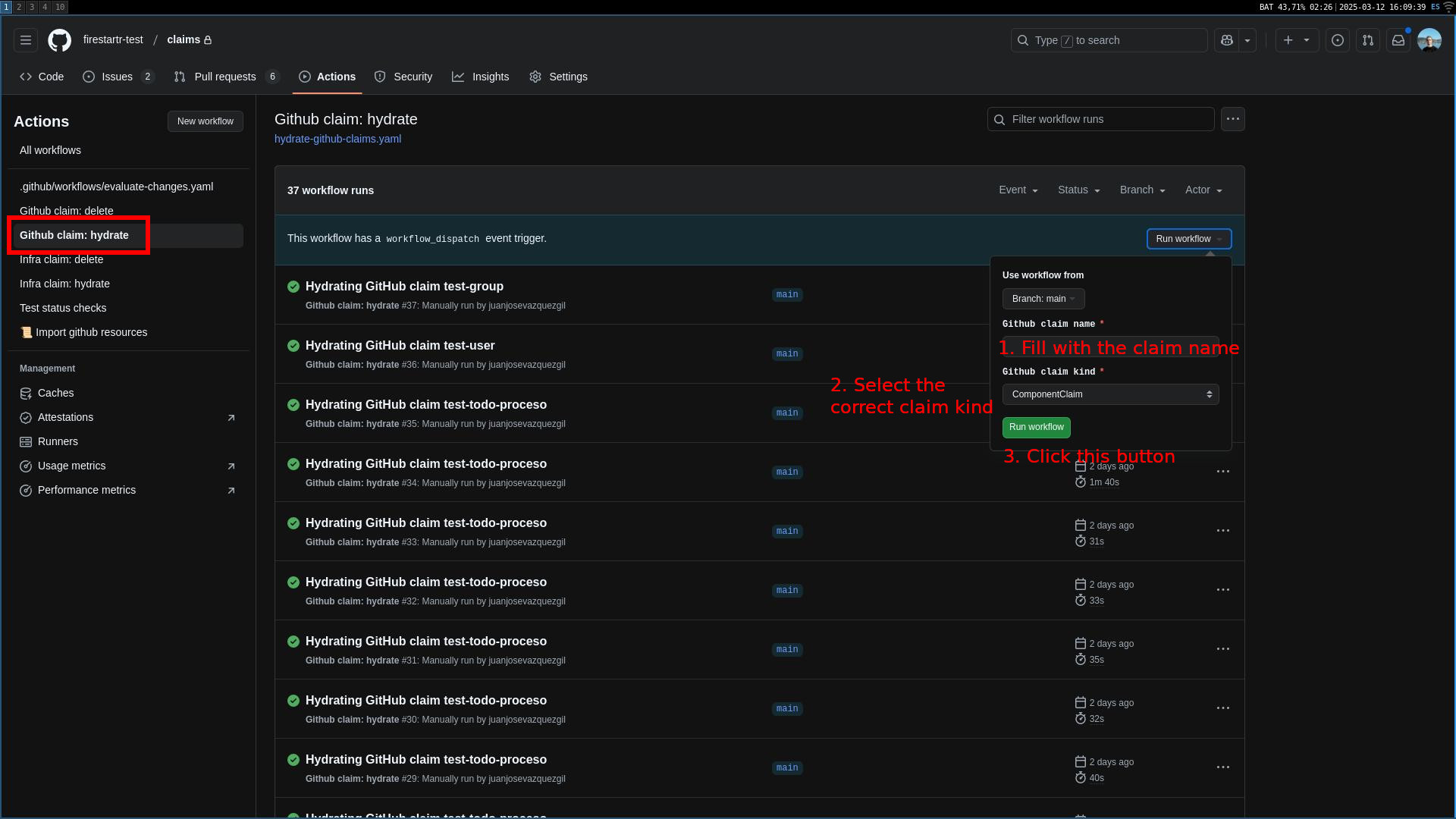 Hydrating a GitHub claim
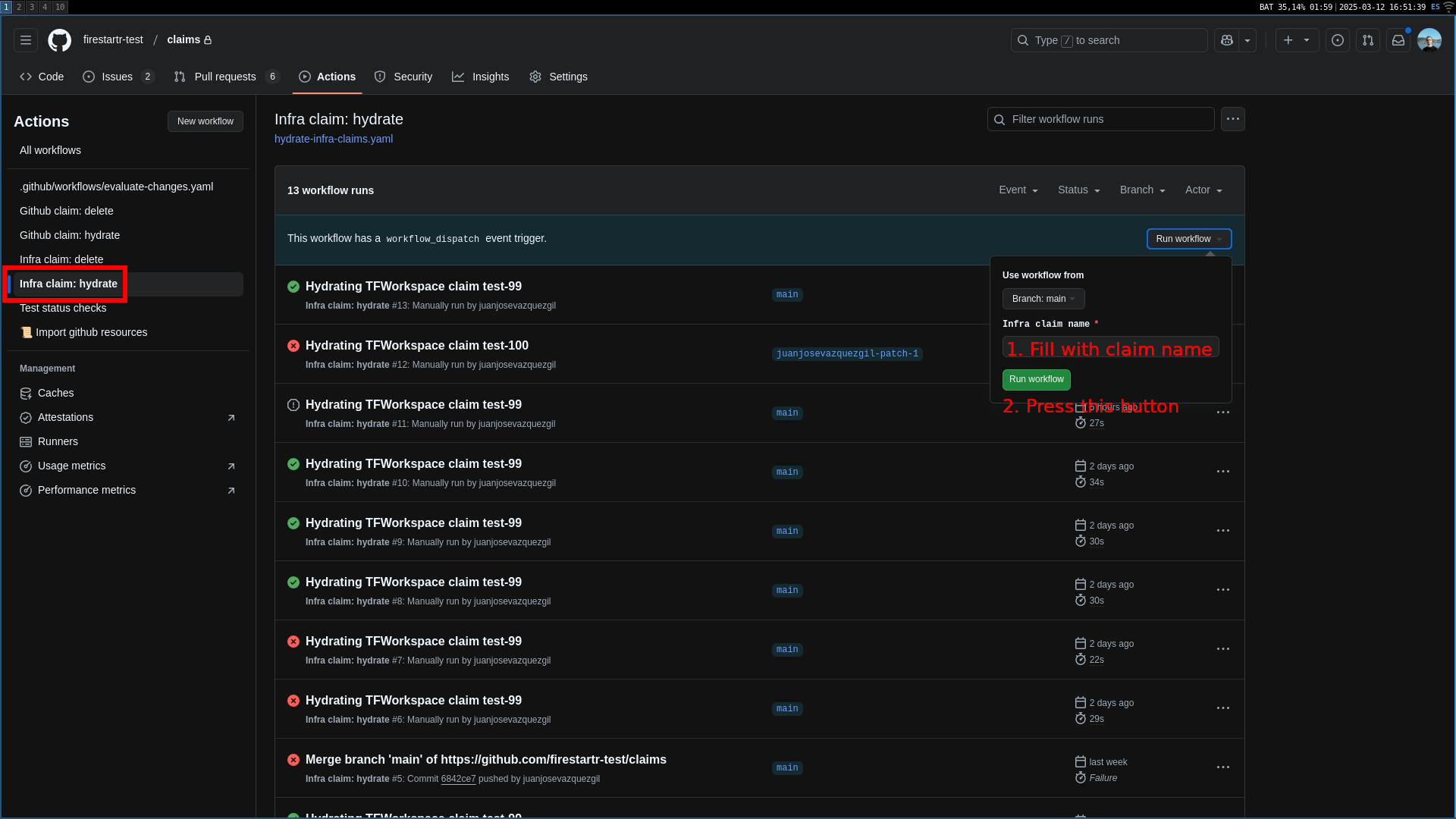 Hydrating a TFWorkspace claim
- Press the green button and wait for the workflow to finish. When it’s done, click its entry in the list and there’ll be a link to the
state-githuborstate-infrarepo PR. You can use it to review the PR and merge it if everything is correct.
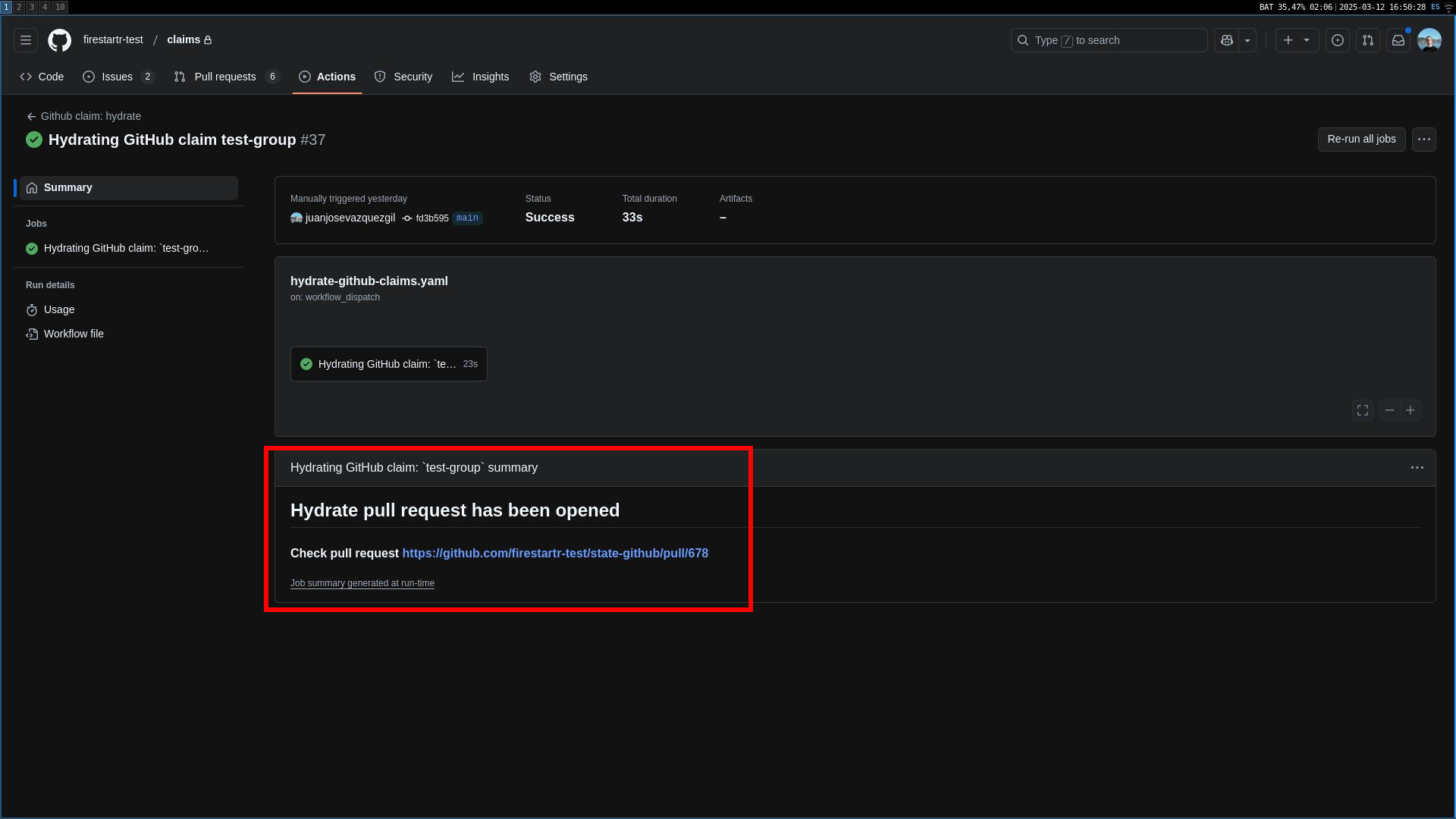 The action summary with a link to the state repo
Deleting claims#
- Head over to the
Actionstab of theclaimsrepo and select the<Your claim type> claim: deleteworkflow on the left side list.
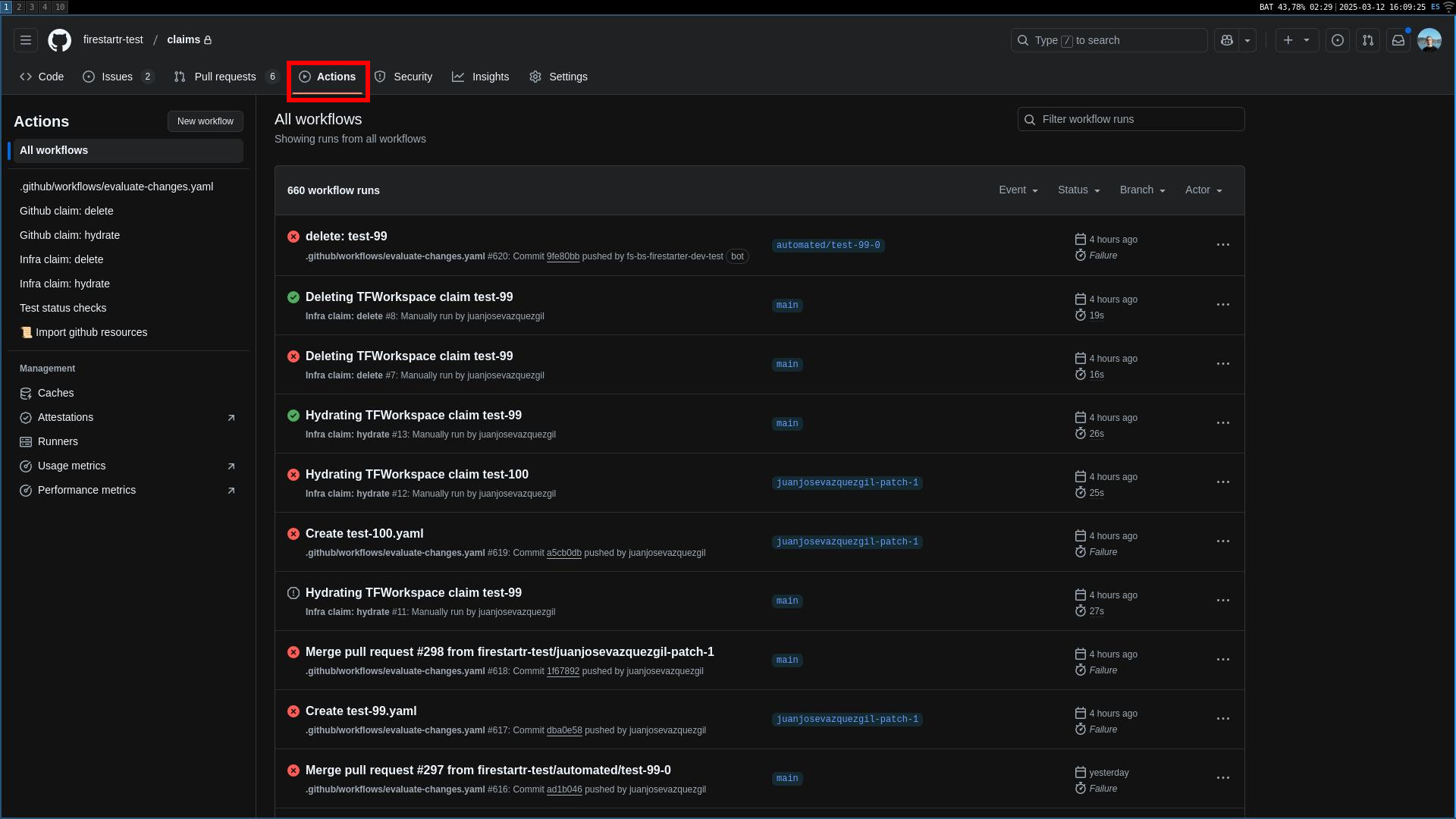 The Actions tabs
- Select
Run workflowon the right hand side of the screen, introduce the name of the claim to be deleted and select the claim type (if it is a GitHub claim). NOTE: the name of the claim should be the value of the fieldnameinside the claim YAML. Setting this value to the file name may result in the workflow not working as expected.
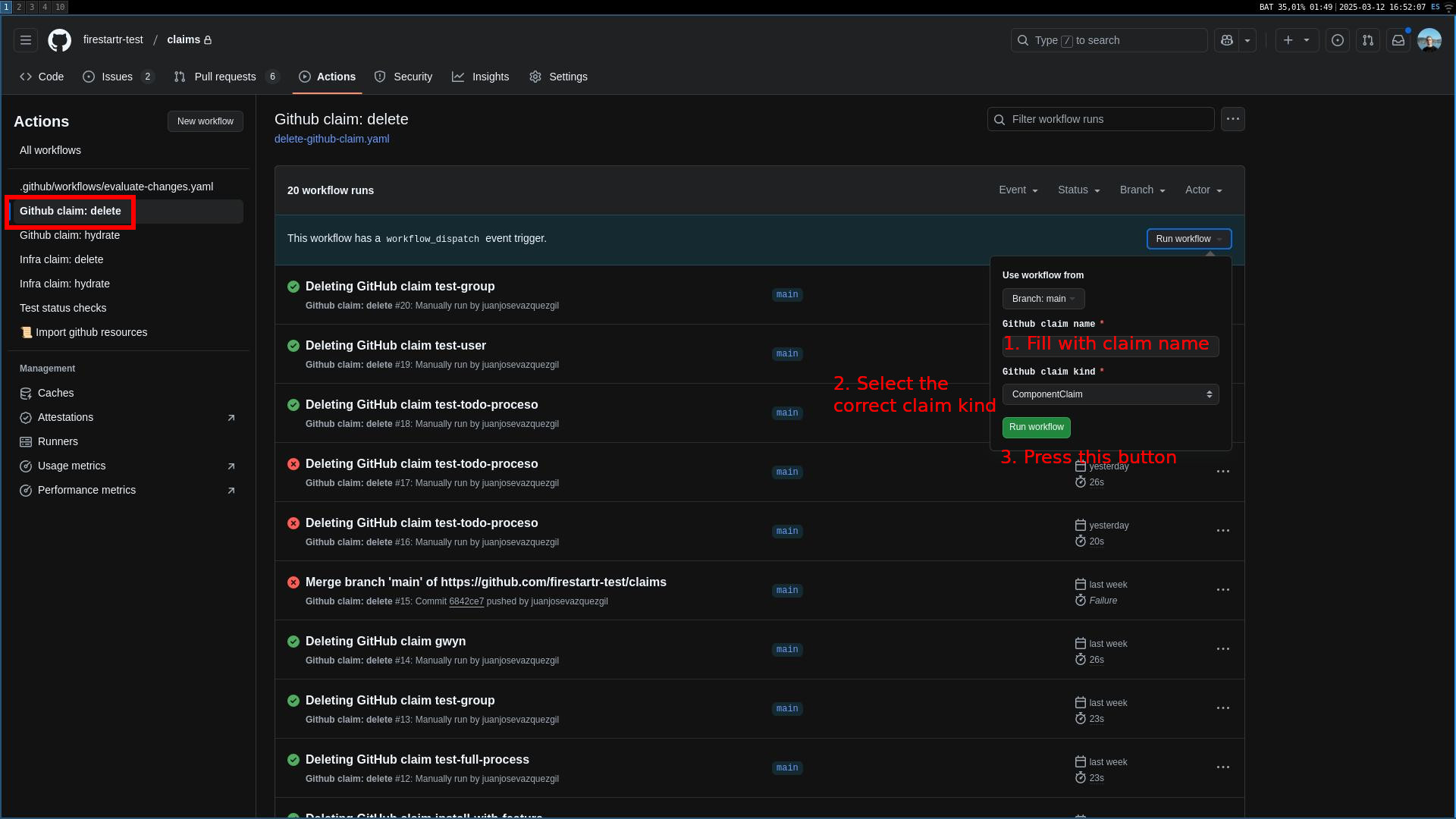 Deleting a GitHub claim
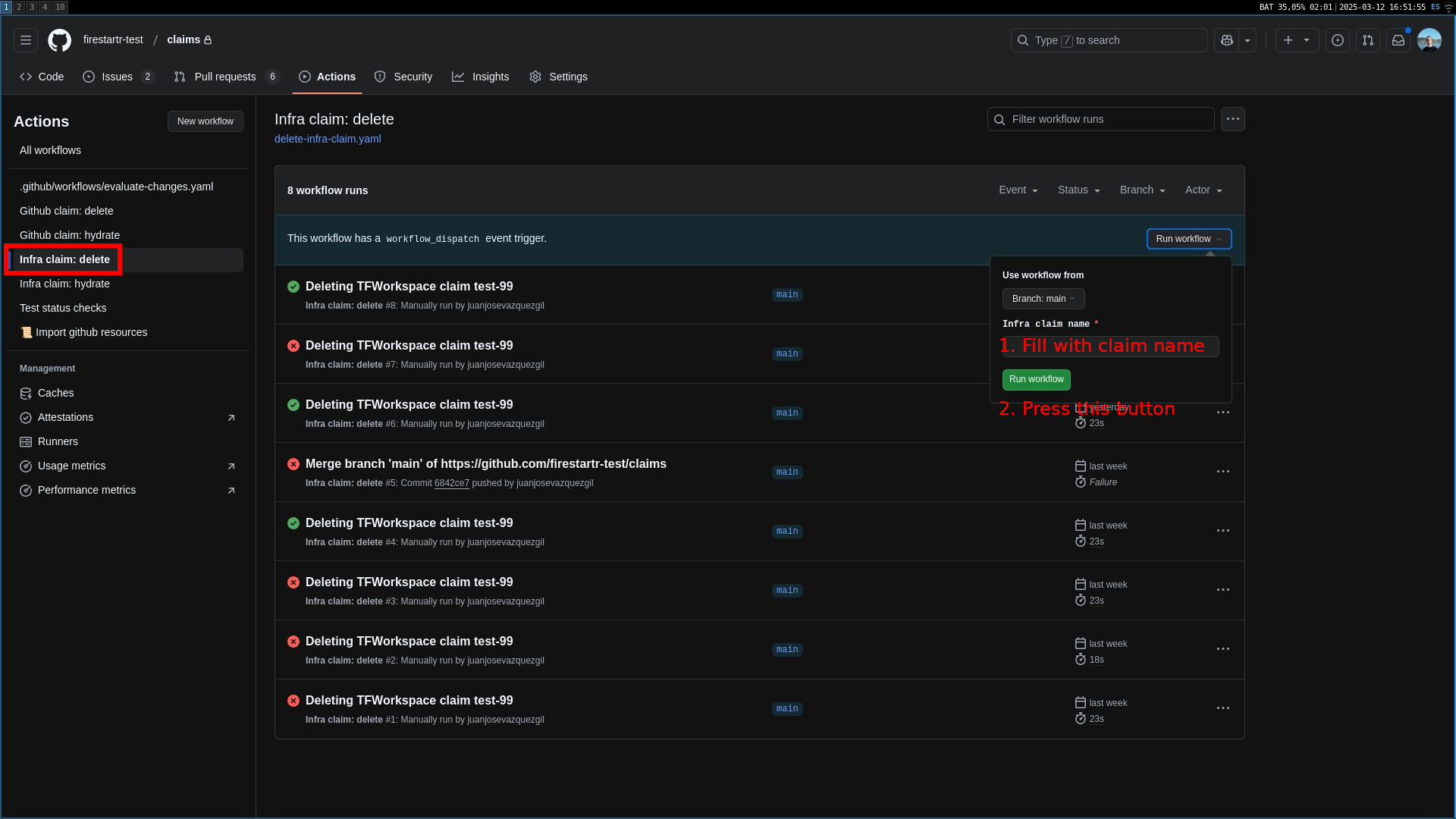 Deleting a TFWorkspace claim
- Press the green button and wait for the workflow to finish. When it’s done, click its entry in the list and there’ll be two links: one to the
state-githuborstate-infrarepo PR, deleting the CR file, and another to theclaimsrepo PR, deleting the claim file. You can use them to review both PRs and merge them if everything is correct.
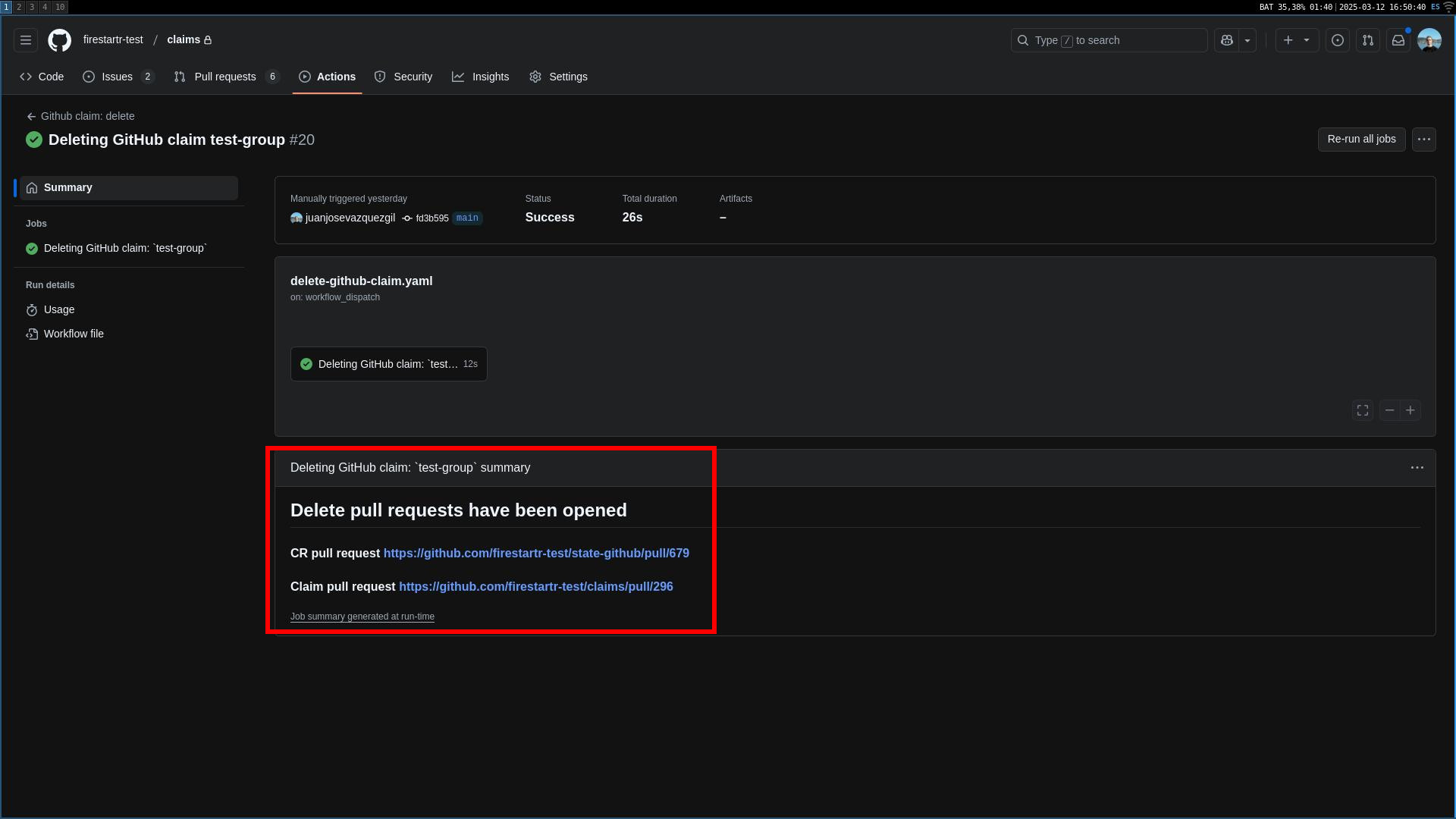 The action summary with two links to the state and claims repo
Import already created GitHub resources#
- Head over to the
Actionstab of theclaimsrepo and select the📜 Import GitHub resourcesworkflow on the left side list.
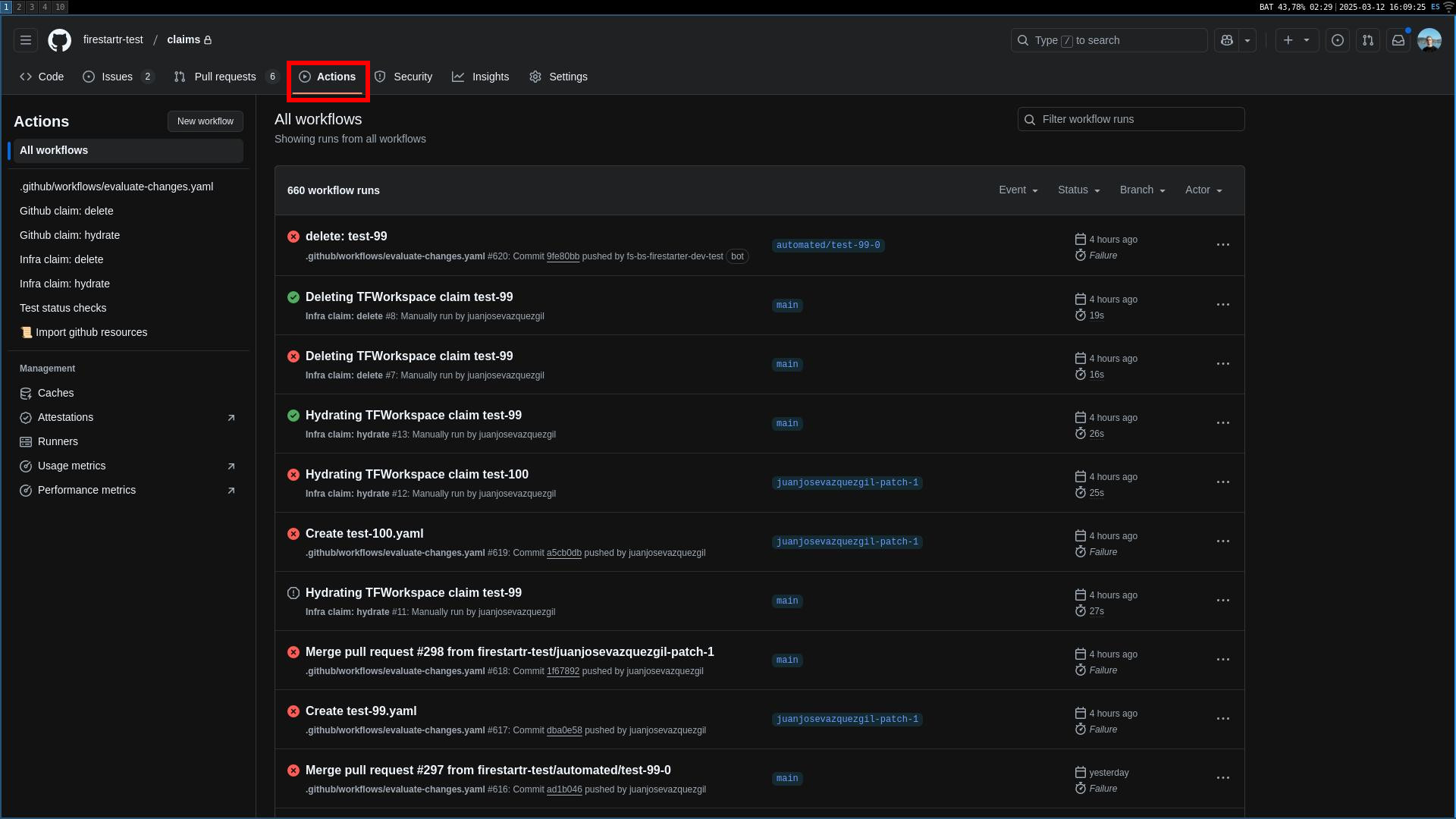 The Actions tabs
- Select
Run workflowon the right hand side of the screen, and add filters to the type of resources you want to import. The filters can be:
- REGEXP=[regex]: import all resources that match the regex [regex].
- NAME=[name]: import all resources with the name [name]. The name must be an exact match.
- SKIP=SKIP: skip this import.
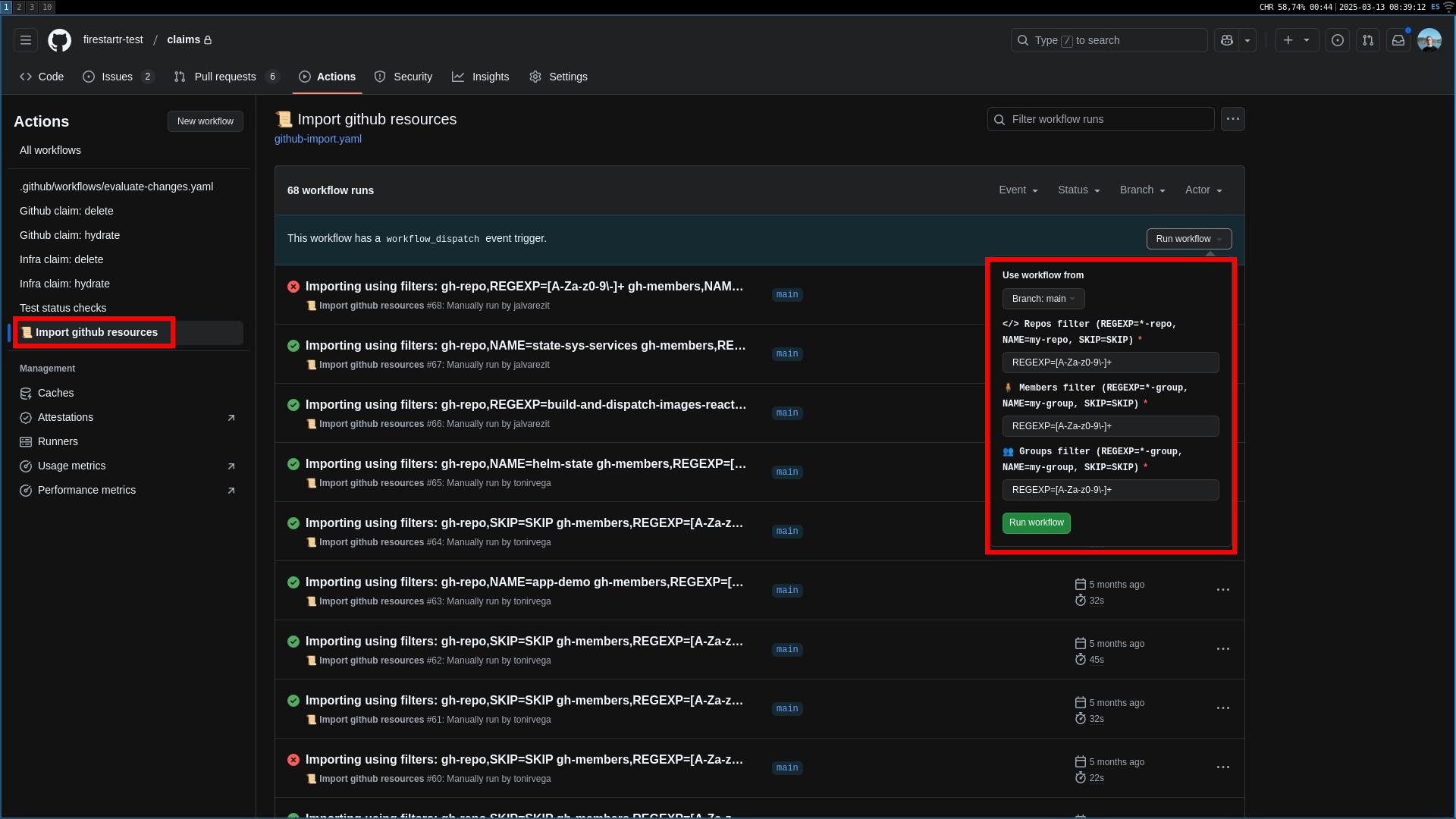
- Press the green button and wait for the workflow to finish. Once the workflow is finished, a PR will be created both in the
state-githubrepo and theclaimsrepo. Merge them both and the resource will be imported
Massively updating claims’ features#
- Head over to the
Actionstab of theclaimsrepo and select theUpdate claims' featuresworkflow on the left side list.
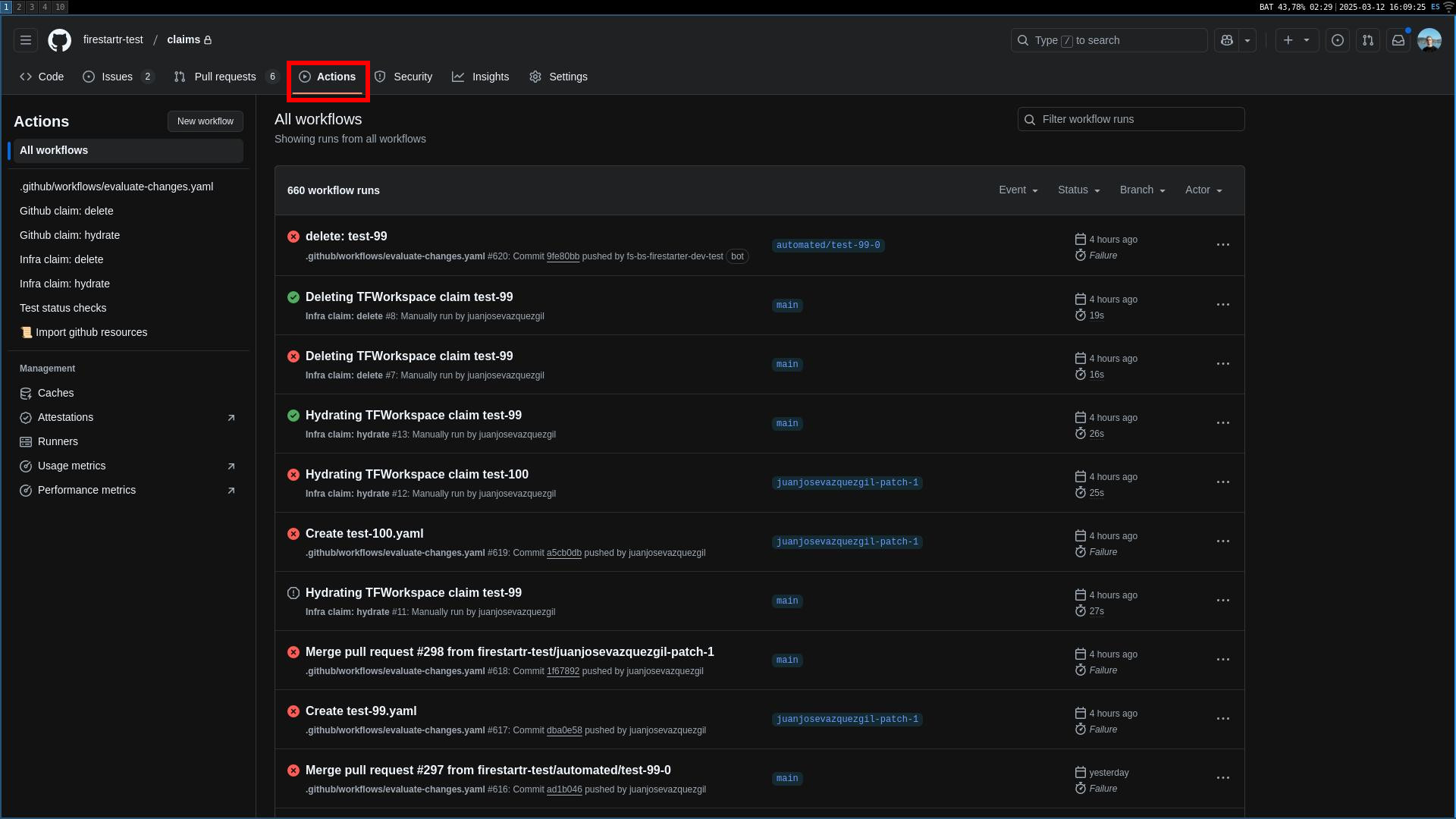 The Actions tabs
- Select
Run workflowon the right hand side of the screen, and add filters to narrow the features and claims you want to update. The filters can be:
- Features list: mandatory filter. Either a single feature name or a list of comma separated values, each being a different feature name.
- Claims list: optional filter. Either a single
claim.name, a list of comma separated values, each being a differentclaim.nameor an empty value, which will update all applicable claims. Note thatclaim.namerefers to the value of thenamefield inside theclaimYAML file and not to the name of the YAML file itself. - Version constraint: optional filter. Either a valid version, a valid version constraint or an empty value, which will update to the latest avaliable version. A valid version is a version that’s avaliable for all features in
Features list, in themajor.minor.patchsemver format, and will result in the feature being updated to that exact version. Valid version constraint documentation can be found here (comparisions work fine too) and will result in the feature being updated to the latest version avaliable that satisfies the specified constraint.
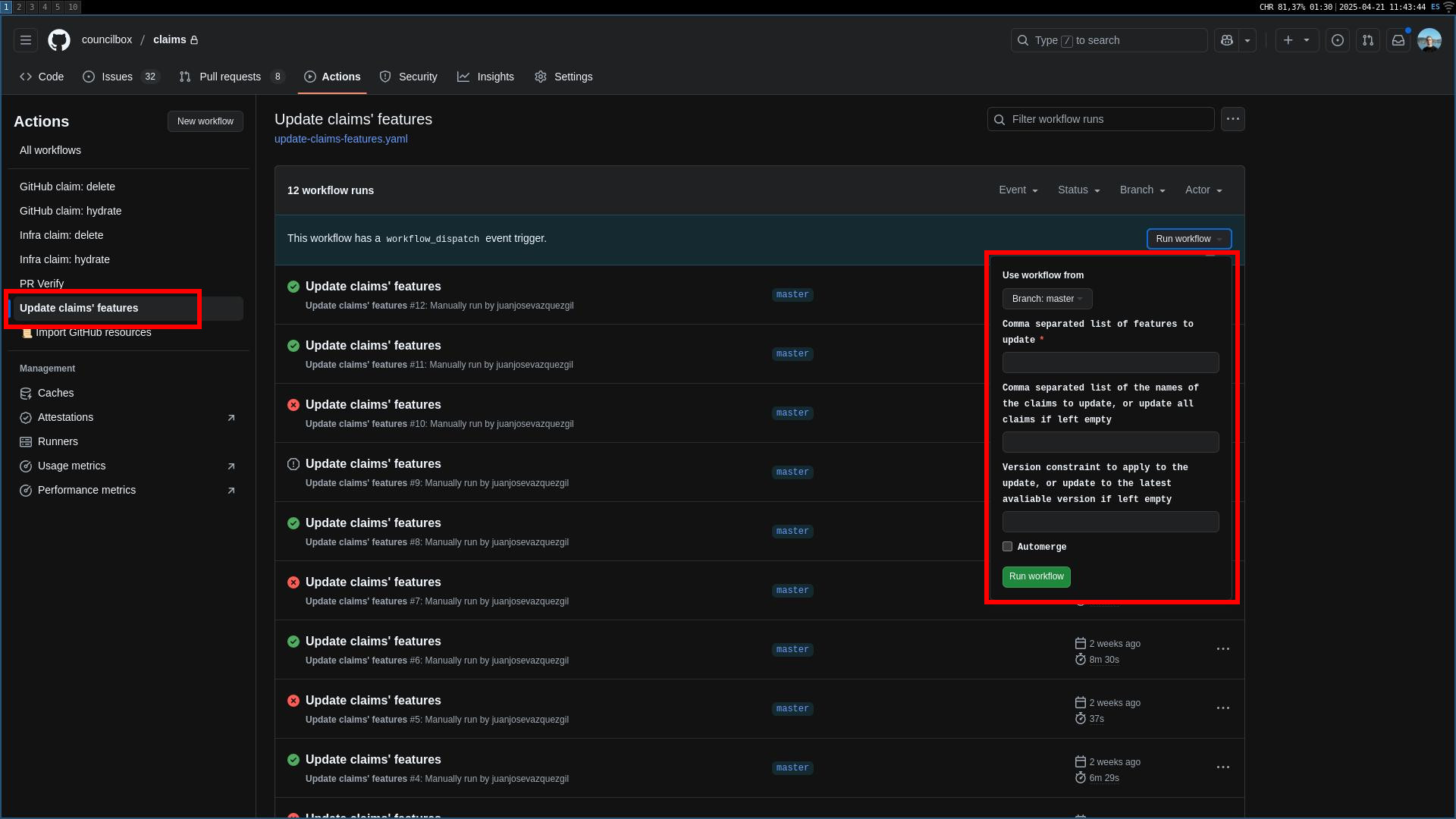
- Press the green button and wait for the workflow to finish. Once the workflow is finished, a PR will be created for each claim that was updated. The PR body will contain a list of changes made since the version that was currently installed up until the version that was updated to. Merge them all and then hydrate the claims
About the update-features-with-dot-firestartr-info workflow#
This workflow is executed every day at 00:00 UTC. It clones the .firestartr repository and uses it to populate arguments for the following features:
build_and_dispatch_docker_images: populates the argumentstenant_list,platform_listandenv_list
This workflow can also be executed manually if needed.
Feature arguments#
state_github_repo: the name of the repository where the GitHub related CRs are stored. Defaults tostate-githubstate_infra_repo: the name of the repository where the Terraform and ExternalSecrets related CRs are stored. Defaults tostate-infracatalog_repo: the name of the repository where the Backstage catalog related CRs are stored. Defaults tocatalog